
Change Your Pay Over Time Payment Method on myGuilford County

Quickly and easily change your payment method for an account enrolled in Pay Over Time on myGuilfordCounty by following the steps below:
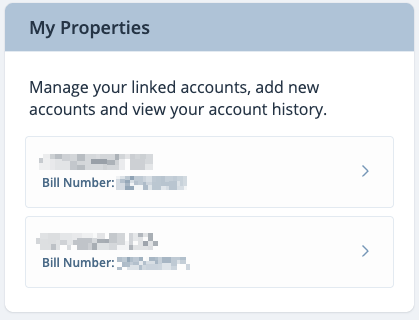
- Click on your account under My Properties on the right side of your screen
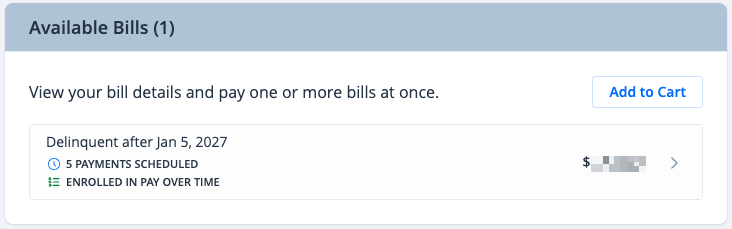
- Click on your bill under Available Bills
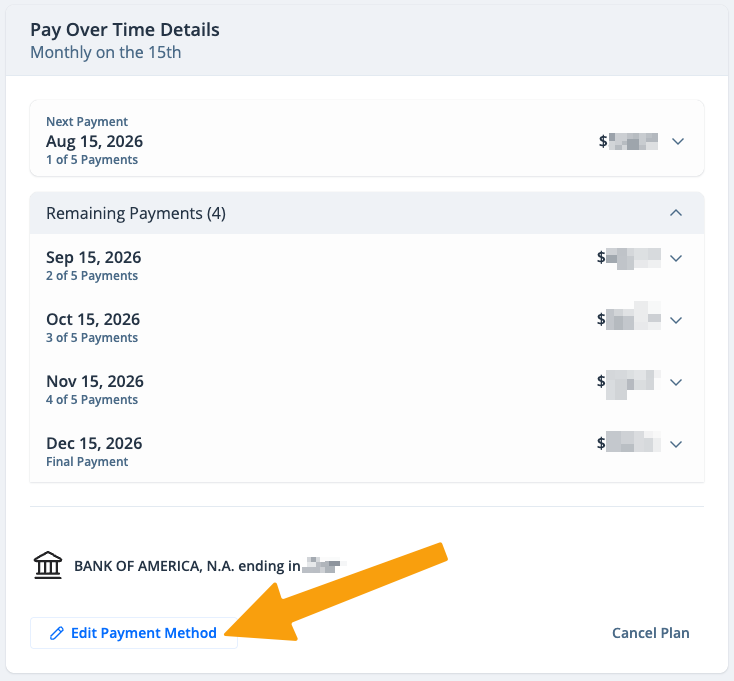
- Under Pay Over Time Details, click Edit Payment Method
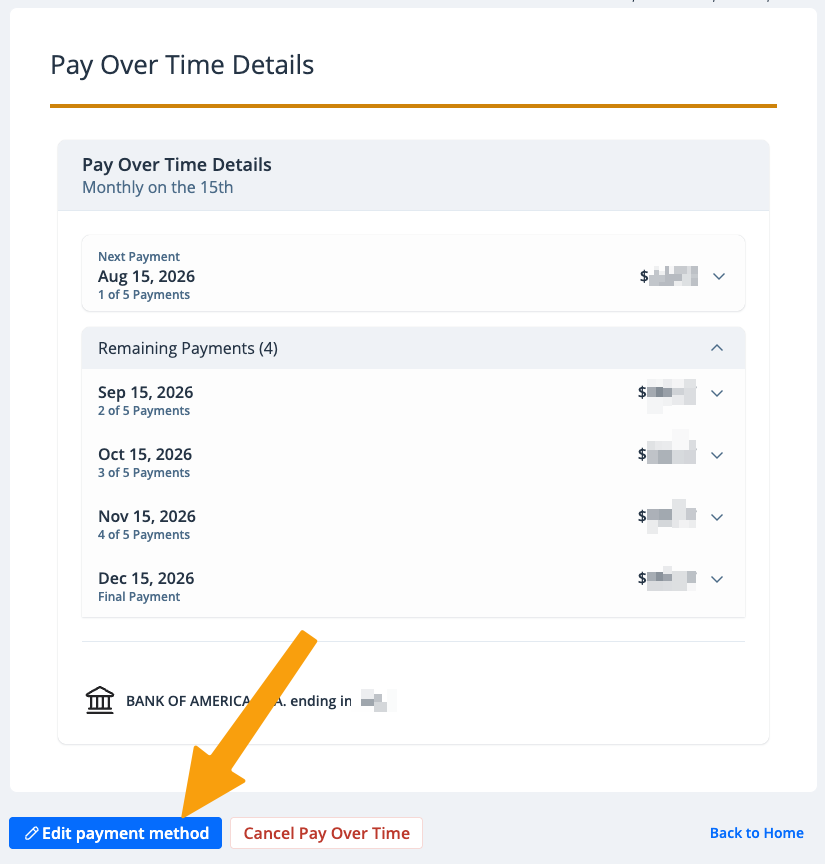
- Click the blue Edit Payment Method button
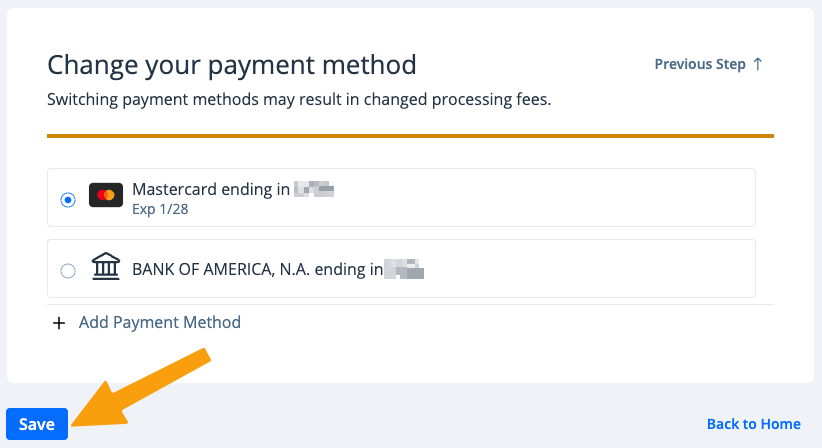
- Select your preferred payment method, or add a new payment method. Then click Save
Your Pay Over Time payment method has been updated. You'll receive an email notification confirming the change, and future scheduled Pay Over Time payments will process with your updated payment method.
To cancel your Pay Over Time enrollment, see Cancel Pay Over Time on myGuilfordCounty.